
One key · many models · unified billing
Live AI model routesfor production API teams
One-stop access to live chat, image, video, audio, and tool models with one API key, one balance, and one billing console.
Live API routes Unified credits and billing Easy integration
29
live model routes
18
API surfaces
22
model sources
29
live model routes
18
API surfaces
22
model sources
Featured routes
live catalog onlyOpenAI-compatible chat
Chat models use the chat completions route.
Async media tasks
Image, video, audio, and tool routes return task IDs.
Shared billing console
Top-up, orders, credits, and account pages use the existing logic.
Popular Models
Browse live model routes by category, endpoint, and current credit cost.


kling-3Live route
K Kuaishou
Kling 3.0
State-of-the-art AI video generation with 4K quality support. Text-to-video and image-to-video capabilities.
$3.00300 credits
Live route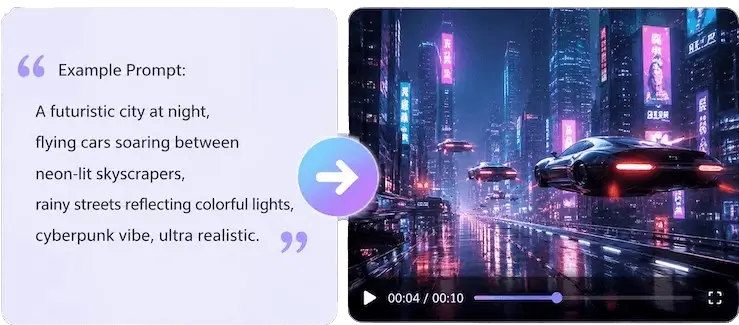

hailuo-2-3Live route
M MiniMax
Hailuo 2.3
High-quality AI video generation by MiniMax. Supports image-to-video with standard and pro quality modes, cinematic motion quality.
$0.3030 credits
Live route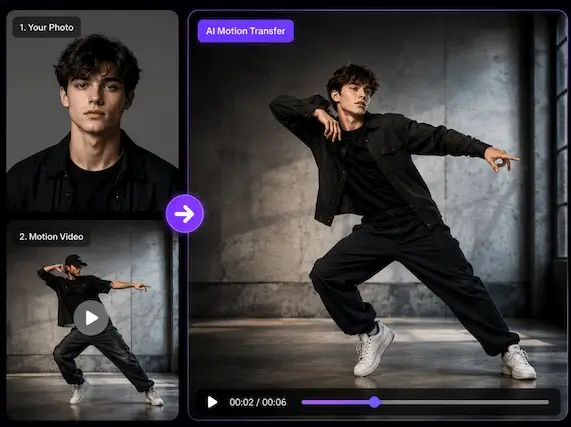

vidu-q3Live route
S Shengshu Technology
Vidu Q3
Vidu Q3 by Shengshu Technology — advanced AI video generation with strong motion understanding and character consistency.
$3.00300 credits
Live route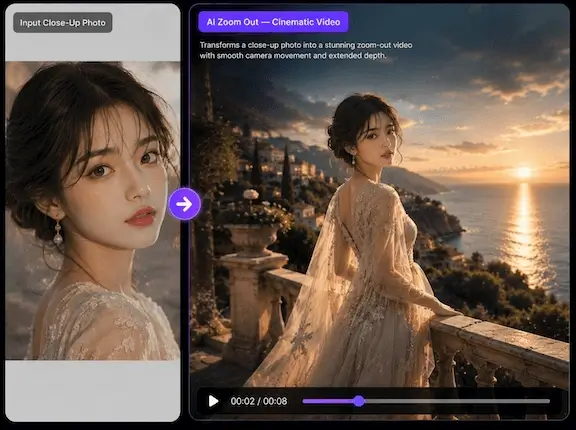

wan-2-6Live route
A Alibaba
Wan 2.6
Alibaba's Wan 2.6 video generation model. Supports text-to-video and image-to-video with high-fidelity output.
$0.8080 credits
Live route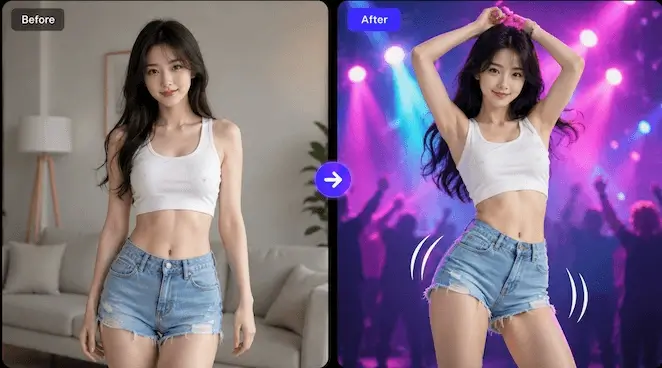

seedance-1-5-proLive route
B ByteDance
Seedance 1.5 Pro
ByteDance's Seedance 1.5 Pro — exceptional dance and human motion video generation with text and image input.
$0.2828 credits
Live route

pixverse-5-6Live route
P PixVerse
PixVerse 5.6
PixVerse 5.6 — fast AI video generation with stylized output. Supports text-to-video and image-to-video.
$0.9090 credits
Live route🎞️
ltx-2Live route
L LightTricks / WaveSpeed
LTX-2
LTX-2 19B — advanced AI video generation with text-to-video, image-to-video, lipsync, and control modes. Up to 1080p, 5–20 seconds.
$0.2424 credits
Live route
grok-videoLive route
X xAI
Grok Video
xAI's Grok Video — AI video generation powered by Grok Imagine. Supports text-to-video and image-to-video.
$0.2424 credits
Live routeCallable API surfaces
Every endpoint shown here maps to a current server route. Media and tool jobs return task IDs and resolve through one status API.
POST
Image generations
Create image generation and edit tasks through the live image model route.
/api/v1/images/generations12POST
Video generations
Create async text-to-video, image-to-video, and model-specific video tasks.
/api/v1/videos/generations8POST
Chat completions
Call the OpenAI-compatible chat completion route with API in One model slugs.
/api/v1/chat/completions1POST
Music generation
Generate original music tracks with Suno-compatible request parameters.
/api/v1/audio/music3POST
Speech synthesis
Create text-to-speech and multi-speaker audio outputs.
/api/v1/audio/speech3GET
Task status
Check async generation status and retrieve completed media or tool results.
/api/v1/tasks/{task_id}statusPOST
Image background removal
Remove the background from an input image through the image tool route.
/api/v1/images/tools/remove-bg5POST
Video upscale
Upscale video resolution through the implemented video upscale route.
/api/v1/videos/tools/upscale5Model market board
Compare live APIs like a marketplace.
Scan live models by type, provider, endpoint, runtime, and current credit cost. Every row is derived from the current live catalog.
Featured live routes
Only implemented model routes are listed here. No placeholder models or unrouted APIs.
| Model | Provider | Endpoint | Runtime | Cost | Status | Docs |
|---|---|---|---|---|---|---|
| gemini Chattext -> text | /api/v1/chat/completions | Sync | $0.055 credits | Live | Open | |
| gpt-image-1.5-official Imagetext+image -> image | OpenAI | /api/v1/images/generations | Webhook | $0.1010 credits | Live | Open |
| kling-3 Videotext+image -> video | Kuaishou | /api/v1/videos/generations | Webhook | $3.00300 credits | Live | Open |
| suno Musictext -> audio | Suno AI | /api/v1/audio/music | Webhook | $0.1010 credits | Live | Open |
| imagen-4 Imagetext -> image | /api/v1/images/generations | Webhook | $0.088 credits | Live | Open | |
| hailuo-2-3 Videoimage -> video | MiniMax | /api/v1/videos/generations | Webhook | $0.3030 credits | Live | Open |
| elevenlabs-v3 Speechtext -> audio | ElevenLabs | /api/v1/audio/speech | Webhook | $0.011 credits | Live | Open |
| ideogram-v4 Imagetext -> image | Ideogram | /api/v1/images/generations | Polling | $0.1212 credits | Live | Open |
| vidu-q3 Videotext+image -> video | Shengshu Technology | /api/v1/videos/generations | Polling | $3.00300 credits | Live | Open |
| minimax-music Musictext -> audio | MiniMax | /api/v1/audio/music | Polling | $0.3030 credits | Live | Open |
| flux-2 Imagetext+image -> image | Black Forest Labs | /api/v1/images/generations | Webhook | $0.055 credits | Live | Open |
| wan-2-6 Videotext+image+video -> video | Alibaba | /api/v1/videos/generations | Webhook | $0.8080 credits | Live | Open |
Provider coverage
Inspect real API coverage by provider.
Each row is aggregated from the current live catalog: implemented model count, endpoint families, starting cost, runtime modes, and representative models.
| Provider | Models | Endpoints | Starts at | Runtime modes | Representative models | Docs |
|---|---|---|---|---|---|---|
I Ideogram | 3 | 1 | $0.022 credits | Polling | Open | |
W WaveSpeed | 3 | 3 | $0.044 credits | Polling | Open | |
| 2 | 2 | $0.055 credits | SyncWebhook | Open | ||
| 2 | 2 | $0.3030 credits | WebhookPolling | Open | ||
| 2 | 2 | $0.055 credits | Webhook | Open | ||
A Alibaba | 1 | 1 | $0.8080 credits | Webhook | Open | |
A API in One | 1 | 1 | $0.011 credits | Polling | Open | |
B Black Forest Labs | 1 | 1 | $0.055 credits | Webhook | Open | |
B ByteDance | 1 | 1 | $0.2828 credits | Webhook | Open | |
B ByteDance / KIE | 1 | 1 | $0.1212 credits | Webhook | Open |
One prompt — use API in One from any agent
Copy a single prompt to Codex, Claude, Cursor, or any coding agent so it can read the API in One docs index and answer route-specific questions.
API in One — llms.txt prompt
Read the API in One documentation index below and answer my question based on it:
https://apiin.one/llms.txt

About API in One:
A unified AI API gateway with OpenAI-compatible chat completions and REST async routes for live image, video, audio, and tool models. Billing is based on successful requests.

My question:
How do I call Kling 3 with Python to generate a 5-second video?
Quick integration
Validate your key with chat first, then follow the docs for image, video, audio, and tool async tasks.
- 1
Sign Up & Create Key
Register an account and generate your API key in the shared dashboard. Top-up, orders, and credits stay in the existing console.
- 2
Update Configuration
Change the chat base URL for OpenAI-compatible calls, then use documented REST payloads for media and tool routes.
- 3
Start Calling Models
Access live model routes such as Gemini, Flux, Kling, Wan, Suno, and ElevenLabs through one unified API.
apiin - /api/v1/chat/completions
curl --request POST \
  --url https://apiin.one/api/v1/chat/completions \
  --header 'Authorization: Bearer <token>' \
  --header 'Content-Type: application/json' \
  --data '{
    "model": "gemini",
    "messages": [
      {
        "role": "system",
        "content": "You are a professional AI assistant."
      },
      {
        "role": "user",
        "content": "Tell me about the history of artificial intelligence."
      }
    ]
  }'
Chat completions/Gemini / $0.05
Why teams choose API in One
One platform, clear pricing, and live routed APIs so you maintain fewer provider integrations.
Provider aggregation
Curated provider routes with clear model docs, usage, and billing visibility.
Transparent pricing
Per-token and per-call numbers you can forecast in spreadsheets.
One console
Keys, quotas, and usage across models live in a single dashboard.
Fast integration
Chat routes use OpenAI-compatible requests; media routes use documented REST async tasks.
Clear model costs
Each model shows credit cost, endpoint, and task behavior so teams can plan usage.
Support path
Integration, billing, and procurement questions can be routed to support.
FAQ
What is API in One and what does it offer?
API in One is a unified AI API platform for accessing live chat, image, video, audio, and tool model routes through a single API key, shared balance, and consistent billing console.
What AI models are available on API in One?
API in One includes model routes such as Gemini, Flux, GPT Image, Imagen, Kling, Wan, Hailuo, PixVerse, Suno, and ElevenLabs, all accessible through one unified API surface.
How does pricing compare to other API providers?
API in One shows each live model route with its credit cost and approximate USD value. Account top-up, orders, and credit balance continue through the shared dashboard.
How do I integrate the API in One API into my application?
Simple integration: 1) create an API key in the shared dashboard, 2) update your base_url to API in One's endpoint, 3) start using the OpenAI-compatible request format where supported.
Why should I choose API in One over using model providers directly?
With API in One, you manage one account, one API key, one balance, and one billing path across supported model providers.
What programming languages are supported?
API in One works with any language that can make HTTPS requests. The docs include examples for cURL, Python, JavaScript, Go, Java, and PHP.
Are API keys secure and how should I use them?
Keep API keys in backend environment variables and call API in One from your server routes. Do not expose production keys in browser-side code.
Do you support invoices or enterprise billing?
Top-up, orders, credit balance, and account pages continue through the shared dashboard. Contact support for enterprise purchasing, invoices, and higher-volume usage requirements.
Are requests used to train models?
API in One routes requests to model providers according to each model pipeline. Avoid sending sensitive data unless your internal compliance review approves the provider and model.
Model and provider directory
Browse the current live API catalog by provider and model slug. Unrouted models and placeholder endpoints are not listed.
WaveSpeed
3MiniMax
2xAI
2Alibaba
1API in One
1Black Forest Labs
1ByteDance
1Ready to get started?
Live model catalog · One API key · Shared billing console